Chatbots Examples: What Real Business Bots Actually Do
Chatbot examples are real setups where a bot handles a specific job — answering questions, taking a booking, confirming an order — inside a channel like WhatsApp, Discord, Telegram or your own website. The interesting part is never the greeting; it's the task the bot finishes. Below we walk through the examples we get asked about most, what each one does, and how to tell a copyable build from a demo.
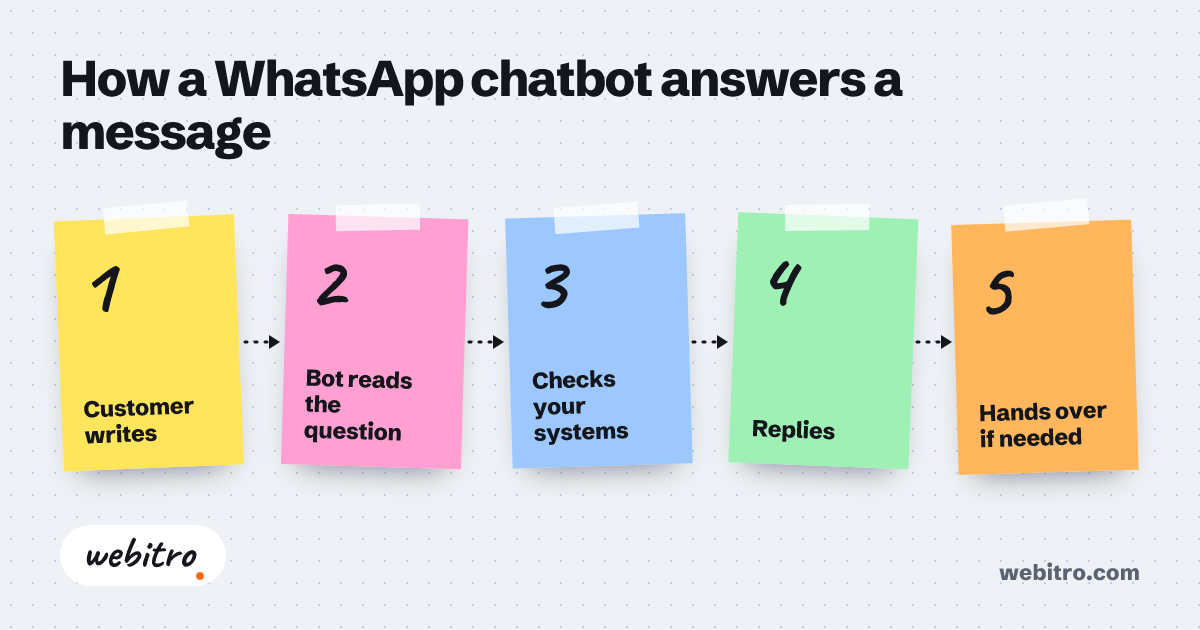
- A WhatsApp bot reaches customers inside an app they already open daily, so no download or new account sits between the question and the order.
- Discord bots can act on server events automatically, which lets a small moderation team cover a large community.
- Chatbot budget is set by integrations and channels, not by the chat window itself.
Video summary of this article
Watch this video on its own page
Video transcript
The article shows real business chatbot examples and what tasks each bot completes.
A chatbot example is worth copying when it names the exact task it removes. The useful detail is the decision path and human handover. A demo greets and stops.
WhatsApp bots take bookings, confirm orders and send delivery updates. A restaurant can show the menu, take items and confirm pickup. Salons and clinics can offer slots, hold one and send a reminder.
Discord bots handle moderation, onboarding and role assignment. A welcome flow posts rules, assigns roles and places members in the right channel. Support tickets can become private threads that stay searchable.
Telegram bots fit broadcast announcements and internal alerts. Publishers can let subscribers choose which topics they receive. Inside a company, a bot can post a daily sales summary or a low-stock warning.
Website bots answer the questions your inbox repeats and pass the rest to a person. A lead capture bot asks qualifying questions before a human calls. The handover should carry the conversation history and contact detail.
The article has the full details and examples.
Our breakdown of what custom software costs walks through that math without the sales gloss.
What makes a chatbot example worth copying?
A chatbot example is worth copying when you can name the exact task it takes off a person's plate, not just the channel it runs in.
Most roundups of chatbots examples show a chat window and a friendly greeting. That tells you nothing about the work behind it. The useful detail is the decision path: what the bot asks first, when it passes the conversation to a human, and where the booking or order ends up.
Picture a support bot for a plumbing company in Columbus, Ohio. It asks for a zip code, checks the service area, offers two appointment windows, then texts a confirmation. Four steps, one clear outcome. That's the part worth stealing.
Turn it around and the difference shows: a bot that opens with "How can I help?" and stops there is a demo. When we scope a build, the first question is always which task disappears from someone's day.
WhatsApp chatbot examples: bookings, orders and delivery updates
WhatsApp bots work best for bookings, order confirmations and delivery updates because the customer never has to install anything or remember a password.
A restaurant taking lunch orders through WhatsApp is the example we see most often. The bot shows the day's menu, takes the item and quantity, confirms the pickup time, and pushes the order into the kitchen's system.
Salons and clinics run the same pattern with a calendar behind it. The bot offers open slots, holds the one the customer picks, and sends a reminder the day before. Fewer people miss appointments when the reminder arrives in the same thread.
Delivery updates are a quieter win. One message when the order leaves the kitchen, one when it's nearby. That's it. The urge to send five messages is the fastest way to get muted.
Discord bot examples: moderation, onboarding and community admin
Discord bots prove their value by handling moderation, onboarding and role assignment so community managers stop repeating the same admin work.
If you run a paid community, the welcome flow is where a bot earns its keep. A new member joins, the bot posts the rules, assigns roles based on their answers, and drops them into the right channel. Nobody on your team touches it.
Moderation examples look similar: link filtering, spam removal, slow-mode enforcement, and a log channel recording what happened and why. On a large gaming server, that log is the difference between order and chaos.
Support is the third pattern. Members open a ticket with a slash command, the bot creates a private thread, and the conversation stays searchable instead of vanishing into general chat.
Telegram bot examples: announcements, alerts and internal tools
Telegram bots fit broadcast announcements and internal alerts because channels and groups make delivery straightforward and cheap to run.
Publishers and event organizers use Telegram bots to push announcements into a channel and let subscribers choose which topics they receive. The bot handles signup, filtering and the send.
Inside a company, the examples get more practical. A bot posts a daily sales summary into a team group, or pings the on-call person when a checkout fails. That saves a morning of tab-switching for whoever used to check manually.
One internal case we like: an inventory bot that posts low-stock warnings into a team group, replacing the spreadsheet check someone used to do first thing every morning.
Website support bot examples: the questions your inbox repeats
A website bot pays for itself when it answers the handful of questions your inbox receives every day and hands the rest to a person with context attached.
Pricing, availability, shipping times, whether you serve a certain city. Every business has five or six questions that make up most of the inbound. A site bot answers those from your own content and escalates only when the question falls outside it.
Real estate is a clean example. The bot filters listings by budget and neighborhood, books a viewing, and passes the lead to an agent with the answers already collected. The agent opens a warm conversation instead of a blank form.
The handover matters more than the answers. When the bot passes a chat along, it should carry what the person asked, what they already tried, and the best contact detail. Otherwise the customer starts over and blames the bot.
Lead capture bot examples: qualifying before a human calls
A lead capture bot asks the qualifying questions a salesperson would ask first, so the follow-up call starts with a budget and a timeline instead of small talk.
For a B2B services firm, the example looks like this: someone lands on the pricing page, a bot asks what they're trying to build, how soon they need it, and who signs off. The answers go into the CRM with a score attached.
The bot isn't trying to close anything. It filters. An agency that gets more inquiries than it can call back benefits more from a bot that sorts them than from one that chats longer.
The same pattern works on WhatsApp, where replies usually arrive faster than email. The bot asks three questions, tags the lead, and only then hands it to a person.
Template bot or custom build: what changes in the example
A template gives you a chat window and a scripted menu, while a custom build connects the bot to your calendar, catalog or CRM so it can actually finish the job.
The examples above share one trait: the bot writes to a system. A booking lands in a calendar. An order reaches a kitchen. A lead appears in the CRM with answers attached. Templates rarely manage that without extra middleware in between.
This is where cost questions come up, and the honest answer is that the chat layer is the cheap part. Budget is driven by the number of channels, the systems you need to touch, and how carefully the human handover has to work. Our breakdown of what custom software costs walks through that math without the sales gloss.
When the bot has to make decisions rather than follow a menu, the work overlaps with custom AI agent development, where a system plans steps and uses tools instead of picking from fixed replies.
If you want the technical shape of it, the difference between the WhatsApp, Telegram and Discord bot APIs comes down to message types, rate limits, and how each platform handles buttons and templates.
How to pick the first bot example to copy
Choose the example that matches a task your team already repeats daily, then scope the smallest version of it that finishes the task end to end.
Start with a list of what your team does by hand every day. Bookings, order status replies, the same three emails, a stock check. Rank them by how often they happen and how much they annoy the person doing them.
Then pick one and draw the flow on paper: the opening question, three or four branches, the handover rule, and where the result should land. If you can't draw it, the bot can't follow it.
That's the kind of build we do: AI chatbots that answer questions, take bookings and orders, send announcements, and manage a community across WhatsApp, Discord and Telegram.
That's the kind of build we do: AI chatbots that answer questions, take bookings and orders, send announcements, and manage a community across WhatsApp, Discord and Telegram.
Frequently Asked Questions
What are some common chatbot examples for small businesses?
Booking appointments, answering the same pricing and hours questions, confirming orders, sending delivery updates, and taking reservations. The common thread is a task that repeats and has a clear finish line.
Can a WhatsApp bot take real orders and payments?
It can take the order and confirm it inside the chat; payments usually go through a link the bot sends. Whether that fits depends on your catalog and how your kitchen or warehouse receives orders.
Do I need a custom bot or is a template enough?
If the bot only answers a fixed set of questions, a template can work. Once it has to write to a calendar, catalog or CRM, a custom build is usually the shorter path.
How long does it take to build one?
It depends on channels and integrations. A single-channel booking bot is a much smaller job than one wired into three systems with a careful human handover.
What happens when the bot doesn't know the answer?
It should say so and hand over, with the conversation history attached. A bot that guesses is worse than no bot at all.