AI Document Analysis Software: What It Is and How Custom Builds Work
AI document analysis software reads documents for you and returns structured data. Instead of a person opening every invoice, contract or claim form, the software identifies what the file is, pulls out the fields that matter and passes them to the systems you already use. It is less about clever wording and more about a dependable pipeline that produces the same answer twice.
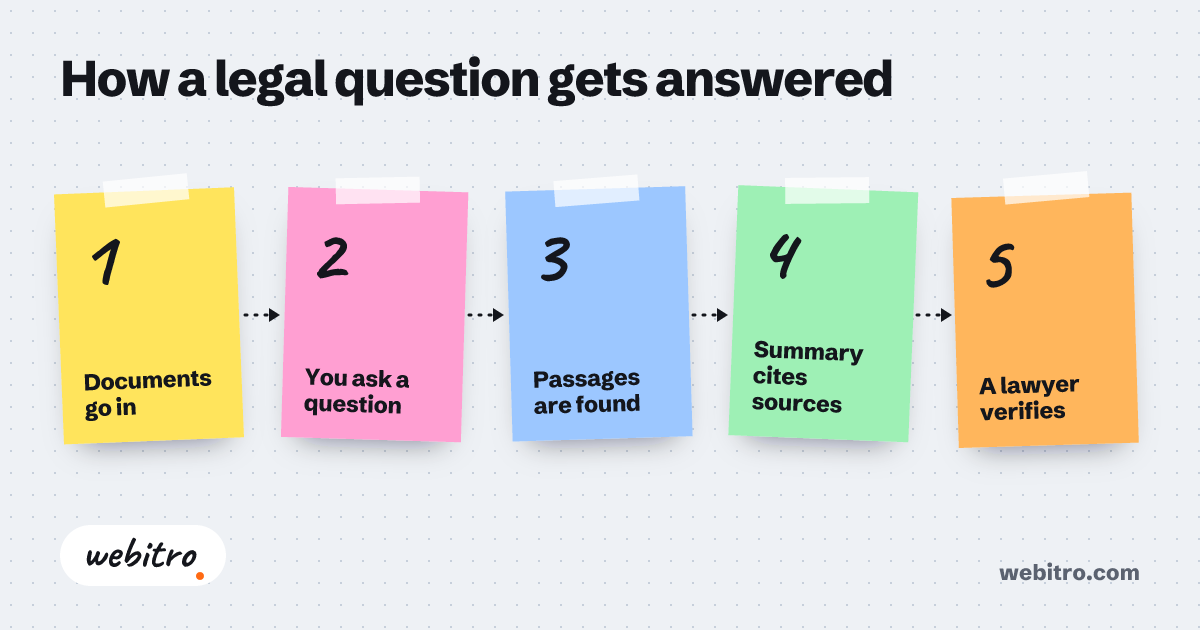
- Document analysis projects succeed or fail on the quality of the sample set, not on the choice of model.
- Low-confidence extractions should route to a person rather than being resolved by a guess.
- One document type running in production beats five document types shown in a demo.
Video summary of this article
Watch this video on its own page
Video transcript
This explains what artificial intelligence document analysis software does and how custom builds work.
It reads documents in any format and returns clean structured data. The software classifies each document, extracts fields and flags anything that looks wrong. A useful system writes results into accounting, case management or spreadsheet tools.
Ready made tools work when your documents are standard. Custom work pays when documents are awkward or systems need integration.
A build moves through ingestion, extraction, validation and delivery. We collect real documents, define correct extraction and route low confidence to a person. Delivery connects the output to the right system in the right shape.
Cost follows document variety, the accuracy you need and systems the results must feed. Ten clean invoices from one supplier is a small job. Hundreds of layouts, languages and scan qualities is much larger.
Measure accuracy on your own files using a set the software has never seen. Log every extraction with the source page and confidence score attached. Data protection is a design choice, not an add on.
The article contains the full details.
We set those drivers out in writing before any build starts, and our breakdown of custom software cost covers the same ground.
What does AI document analysis software actually do?
It takes documents in whatever format they arrive in and returns clean, structured data that your other systems can act on.
Modern document analysis is rarely one model doing everything. It is a short chain of steps. First the file is read, which may mean optical character recognition for scans and photographs. Then the layout is understood, so a total is not confused with a date or a reference number.
Next comes classification and extraction. The software decides what kind of document it is looking at, then pulls the fields you care about: supplier, reference, amounts, dates, clauses, named parties. Large language models help here because they cope with wording that shifts from one supplier to the next.
The output matters more than the technology. A useful system writes those fields straight into your accounting package, case management tool or spreadsheet, then flags anything that looks wrong. If someone still has to retype the result, the build has not finished its job.
For legal files the same machinery sits behind AI contract review, where clause extraction and risk flags matter more than totals and references.
Do you need off-the-shelf tools or custom software?
Ready-made tools work well when your documents look like everyone else's, while a custom build earns its place when your paperwork, rules or systems are unusual.
Plenty of subscription tools handle standard invoices and receipts competently. If that is all you process, a monthly product is often the sensible choice, and we will tell you so rather than sell you a project.
Custom work starts to pay when your documents are awkward. Handwritten site notes, decades-old scans, contracts with heavily negotiated wording, or a mix of formats from dozens of suppliers. Generic tools tend to fail quietly on those, which is worse than failing loudly.
The other trigger is integration. If the extracted data has to land inside a system with no usable export, an off-the-shelf product leaves you doing the last mile by hand. That is where a bespoke build, or a layer of AI orchestration over the tools you already pay for, handles the last mile.
How does a custom document analysis build work?
A build moves through ingestion, extraction, validation and delivery, with your existing systems connected at the end.
We start by collecting real documents, not tidy samples. A few hundred files from the last year usually reveal the true variety: skewed scans, missing pages, stamps over text, three versions of the same form.
From there we define what a correct extraction looks like for each field, and how the software should behave when it is unsure. Low confidence should route to a person rather than turning into a guess.
Delivery is the part people underestimate. Output has to reach the right place in the right shape, which often means an API connection, a scheduled export or a small internal screen for reviewing exceptions.
Most projects end up as a mix of document analysis and wider AI automation, because the extracted data usually triggers the next step, whether that is a payment run or a reply to a customer.
What decides the cost of a document analysis system?
Cost follows the variety of documents you handle, the accuracy you need and the number of systems the results must feed.
There is no single figure, and anyone quoting one before seeing your files is guessing. The biggest factor is variety. Ten clean invoices from one supplier is a small job. Hundreds of layouts, languages and scan qualities is a much larger one.
Accuracy targets come second. Sorting documents into categories is straightforward. Pulling out a figure that triggers a payment, and being right almost every time, takes more testing and more error handling.
Integrations round it off. Each system the data must reach adds work, and ageing software with no API can add a good deal more. We set those drivers out in writing before any build starts, and our breakdown of custom software cost covers the same ground.
How long does a document analysis project take?
Most projects should reach production with one document type first, then widen the scope as accuracy holds.
A single, well-defined document type can move from brief to a working pilot in weeks rather than months. That pilot processes real files and produces real output, even if it only covers one supplier or one branch.
Widening is where the calendar stretches. Every new format, language or exception adds test cases. Better to add them one at a time than to launch everything at once and lose trust when something is wrong.
We would rather ship something narrow and dependable than something broad and shaky. Teams forgive a system that does less than they hoped. They stop using one that quietly gets things wrong.
How do you keep accuracy and data protection under control?
You keep control by measuring accuracy on your own documents, logging every extraction and deciding where the data is allowed to live.
Accuracy should be measured on your files, using a set the software has never seen. A percentage quoted by a vendor against someone else's paperwork tells you very little about your own.
Every extraction should be logged, with the source page and the confidence score attached. When a mistake surfaces months later, that record is what lets you find the cause instead of arguing about it.
Data protection is a design choice, not an add-on. Some organisations keep everything on their own servers. Others are content with a reputable cloud provider under a processing agreement. Both are workable under UK GDPR, and the right answer depends on what is in the documents.
If you want to know what AI agents are, the short version is that an agent chooses the next step, while document analysis performs one defined job well.
What should you prepare before briefing a developer?
Bring a real sample set, a written definition of a correct answer and one person who can approve the rules.
Samples first. Two hundred genuine files, including the awkward ones, will save weeks of misunderstanding. Remove anything sensitive if you must, but keep the mess, because the mess is the project.
Next, write down what correct looks like. Which fields matter, what format they take, and what should happen when a document is ambiguous. That document is the specification, and it is worth more than a feature list.
Finally, name one decision maker. Document rules are business rules, and someone has to settle disputes about them quickly. Projects stall most often when that person turns out to be a committee.
For legal files the same machinery sits behind AI contract review, where clause extraction and risk flags matter more than totals and references.
Frequently Asked Questions
Can it handle scanned paper and photographs?
Yes, up to a point. Clear scans are routine. Faded faxes, handwriting and stamps over text need more work and more testing, so expect lower accuracy there and a human check on those files.
Will it replace our admin team?
It rarely replaces people, it removes the typing. Most teams move the same staff onto checking exceptions and dealing with customers, which is where their judgement is worth more anyway.
Does our data have to leave our own servers?
Not necessarily. A system can run on your own infrastructure or with a cloud provider you approve. A good build makes that choice explicit instead of leaving it to chance.
What happens when the software is unsure about a field?
It should say so. Low-confidence extractions go to a review queue with the source page highlighted, so a person confirms rather than retypes from scratch.