Autonomous AI Agents: What They Are and When to Build One
An autonomous AI agent is a software system that sets its own steps toward a goal, uses tools, checks its work, and decides when the job is done — without a person clicking through each move. That's the plain version. The practical version matters more to a business: these agents can take over a repeatable process end to end and hand back a finished result you can review.
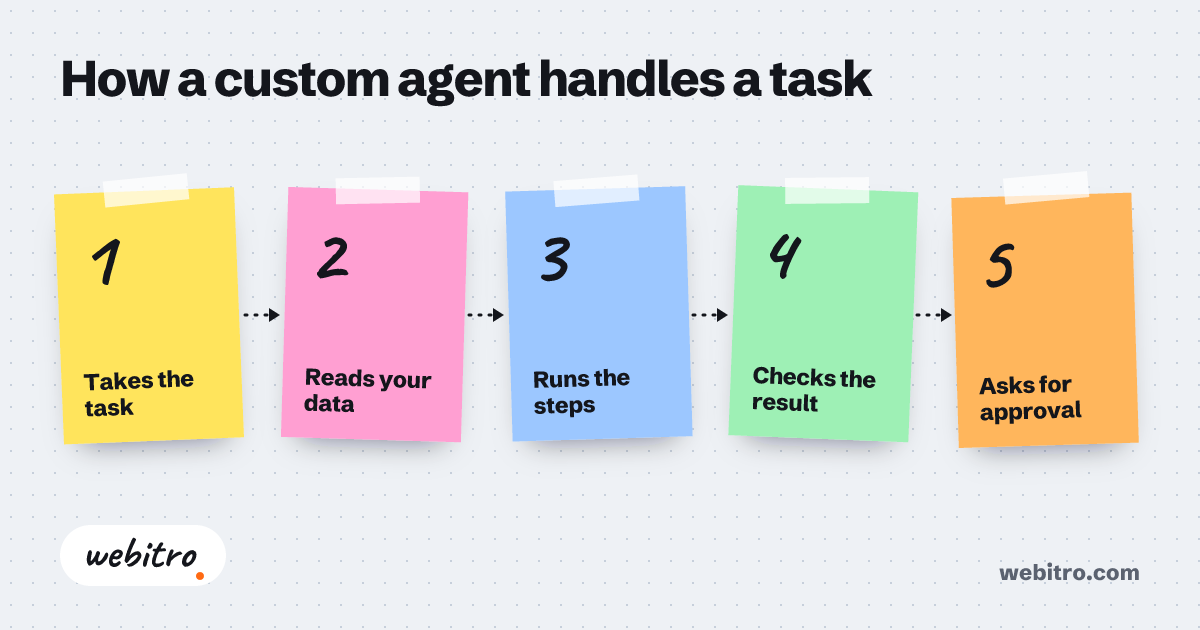
- An autonomous AI agent differs from scripted automation because it selects its own steps at run time rather than executing a fixed sequence written in advance.
- Custom agent development becomes the better option when a process depends on internal systems, private business rules, or approval steps that subscription platforms cannot model.
- Cost and timeline for an agent project track integration count, data quality, and how much human review stays in the loop, not the size of the underlying model.
If the concept is still blurry, our plain-language piece on what AI agents are walks through the same ground with fewer moving parts.
What Makes an AI Agent Autonomous?
An agent counts as autonomous when it chooses its own steps, calls tools on its own, and keeps going until it reaches a goal or a stop condition, instead of following a fixed script someone wrote in advance.
A chatbot answers. An agent acts. The difference shows up the moment a task needs more than one step. A plain assistant tells you how to file an invoice; an autonomous agent opens the invoice, pulls the purchase order, compares the two, flags the mismatch, and writes the note to your finance channel.
Four pieces do the heavy lifting: a goal, a plan, tools, and a feedback loop. The goal is what "done" means. The plan is the agent deciding which step comes next. Tools are the APIs, databases, and browser actions it can reach. The feedback loop is how it notices a step failed and tries another route.
Remove the feedback loop and you're back to ordinary automation. Remove the plan and you have a script. Remove the tools and the agent can only talk. That's why "autonomous" is a spectrum, not a switch. Most useful business agents sit somewhere in the middle, with a human approving anything risky.
How Autonomous AI Agents Work in a Real Business
In a real business, an autonomous agent picks up a defined trigger — a new lead, an email, a support ticket — runs a multi-step process through your own systems, and returns a finished result or a clean escalation.
Picture the lead desk at a mid-size firm in Austin. A form comes in at 11 p.m. The agent reads the submission, checks the company against your CRM, scores fit against rules you set, drafts a reply, books a slot on the right rep's calendar, and posts a summary to Slack.
Nobody was awake. Nobody had to be. The rep starts the morning with a qualified meeting and a one-paragraph brief. That is the shape most agent projects take: one narrow process, one clear owner, one measurable result.
Other common starting points: pulling data from supplier portals, reconciling invoices, triaging support inboxes, monitoring competitor pricing, and preparing research packets. None of these needs a robot. They need a system that can look at a screen, decide, type, and try again when something breaks.
If the concept is still blurry, our plain-language piece on what AI agents are walks through the same ground with fewer moving parts.
Autonomous Agents vs. Scripted Automation
Scripted automation follows steps you mapped in advance and stalls when the page or the data changes, while an autonomous agent reads the situation and picks a workable path on the spot.
Traditional workflow tools are excellent when the world behaves. Every step is mapped, every field is expected, every branch is known. The trouble starts at the edge: a supplier portal redesigns its layout, a form arrives in a new language, or a PDF lands with a scan instead of text.
A script throws an error and waits for a human. An agent reads the page, finds the field it needs, and finishes the task. That resilience is the whole point, and it's also the reason agents need guardrails — a flexible system can wander if you don't bound it.
For a closer look at that fork in the road, the comparison of AI automation and RPA digs into where each approach earns its keep.
Custom Agent Development vs. Off-the-Shelf Tools
Ready-made agent tools get you moving fast on common tasks, while custom development pays off when your process, data, or approval rules don't match what a subscription expects.
Off-the-shelf platforms are tempting. They're cheap to start, they connect to popular apps, and someone else handles the updates. If your process looks like everyone else's, that's often the right call, and we'll say so.
But the moment your workflow carries its own logic — a pricing rule only your team knows, a compliance step, an internal ERP with no clean API — a template starts bending. You end up paying for workarounds. Custom agent development pays for itself when the process is yours and nobody sells it.
That's the work our AI agent development service does: we scope the process, pick the model and tools, build the agent, and hand it over running, with logs you can read.
You don't have to start big. A single agent that handles one annoying task well beats a grand plan that never ships. Pick the process that eats the most hours, prove it works, then expand.
What Drives the Cost and Timeline
Cost and timeline depend on how many systems the agent must touch, how messy the incoming data is, how much human approval stays in the loop, and how well the process is documented before work starts.
There's no flat price for an agent, and anyone quoting one before scoping is guessing. The variables are concrete: number of integrations, quality of the data going in, whether the agent must read documents or screens, and how strict your review rules are.
For the general shape of what bespoke software runs in the U.S. market, our breakdown of custom software cost covers the same drivers without the agent-specific angle.
Timelines usually follow the same logic. A tight agent on two well-documented systems can move quickly. An agent that has to handle a decade of inconsistent spreadsheets, three portals, and a legal review step takes longer, and the extra time sits in testing, not typing.
Ask for a phased plan. Phase one should prove the value on live data with a small blast radius. Everything after that is cheaper to justify once the first result is on the board.
What to Prepare Before You Hire a Studio
Before hiring a studio, write down the trigger, the steps, the systems involved, the failure cases, and who approves the output — that short document cuts scoping time and prevents surprises.
You don't need a technical spec. You need a clear description of the job. Start with the trigger: what event should wake the agent up? Then list the steps a person does today, in order, including the boring ones.
Add the tools each step touches, the data that has to move, and what should happen when something goes wrong. Name the person who signs off on edge cases. That's the whole brief, and it's worth more than a long wish list.
When you're ready to talk specifics, the contact page gets you to a short call where we map the process and tell you honestly whether an agent is the right tool.
That's the work our AI agent development service does: we scope the process, pick the model and tools, build the agent, and hand it over running, with logs you can read.
Frequently Asked Questions
Are autonomous AI agents safe to run on customer data?
Safety is a design question, not a model question. You keep the agent inside limits you set: read-only access where possible, a whitelist of allowed actions, logging on every step, and human approval before anything irreversible.
Do I need a big team to run one?
No. Most setups need one person who owns the process and can tell when the output looks wrong. The agent takes the volume; a human handles judgment and exceptions.
Can an autonomous agent work with software that has no API?
Yes. It can drive the interface the way a person does, clicking, typing, and reading the screen. That route is slower and more fragile than a real API, so we integrate directly whenever an integration exists.
What's the difference between an agent and a chatbot?
A chatbot talks; an agent finishes tasks. The chatbot explains your refund policy, while the agent checks the order, applies the policy, and issues the refund.
How long before we see results?
A narrow first agent on well-documented systems usually shows something usable within a few weeks of build time. Wider scope, messy data, and heavy compliance review push that out.