WhatsApp Chatbot AI: How Custom Bots Answer, Qualify, and Hand Off
A WhatsApp chatbot AI is software that connects to WhatsApp, reads incoming messages with a language model, and replies or takes action without a person typing. Most businesses arrive at it the same way: the same questions keep coming in, the answers already exist somewhere, and nobody has time to type them again at 11 p.m. on a Sunday. What separates a bot that helps from one that annoys people comes down to what it can reach, not how clever it sounds.
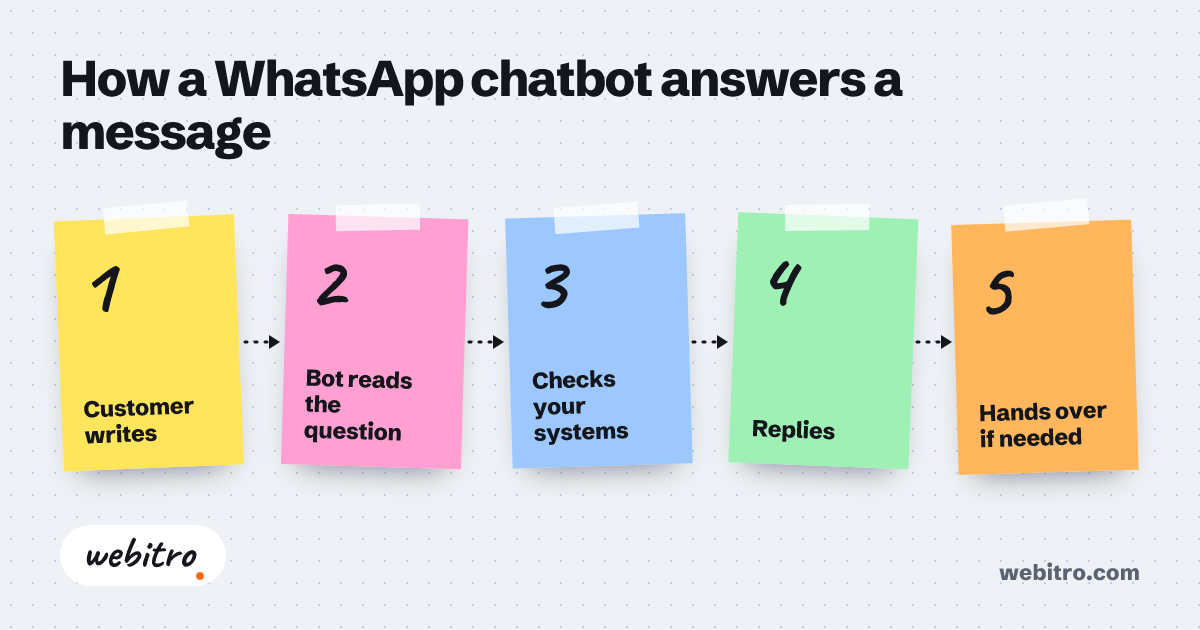
- A WhatsApp bot depends on the WhatsApp Business API, because the standard app and click-to-chat links cannot send automated replies.
- Keyword-based bots break on typos and slang, while language-model bots infer intent from the entire message.
- The first two jobs most businesses automate on WhatsApp are answering repeat questions and qualifying leads before a person joins the thread.
Video summary of this article
Watch this video on its own page
Video transcript
The article explains how WhatsApp chatbot AI answers messages, qualifies leads, and hands conversations to people.
A WhatsApp chatbot AI reads incoming messages with a language model. It works out what the customer wants and answers or acts on its own. It needs a connection, a model, and allowed actions.
The standard app and click-to-chat links cannot send automated replies. The API gives a verified profile, webhooks, and a review process. That review limits spam, so outbound templates follow Meta rules.
A ready-made builder repeats scripted answers. A custom build reaches orders, customer systems, or calendar.
Most businesses hand over three jobs first. The bot answers repeat questions, qualifies leads, and routes to a person. Qualification tags and routes contacts before a person joins.
Scope sets timeline and cost, including systems reached and data quality. Each added customer system, inventory feed, or scheduling tool multiplies the work. Track resolved conversations, qualified leads, and speed of first reply.
The full details are in the article.
Want the technical background on how messaging platforms differ? Our write-up on WhatsApp, Telegram, and Discord bot APIs covers the connection layer in detail.
What a WhatsApp Chatbot AI Actually Is
A WhatsApp chatbot AI is software that reads incoming messages with a language model, works out what the customer wants, and answers or acts on its own.
Behind any good reply sit three parts: a connection to WhatsApp, a language model that interprets the message, and a list of actions the bot is allowed to take. Skip the third part and you have a talking brochure.
That list of actions decides whether the bot is useful or decorative. A bot that only chats is an FAQ page with better manners. A bot that can check an order, book a slot, or push a lead into your CRM changes how the business runs.
Older menu bots forced customers through numbered options and started over when someone typed a sentence. Modern bots flip that: the customer writes what they want, typos included, and the model infers the intent from the whole message.
Why the WhatsApp Business API Comes First
Automated replies need the WhatsApp Business API, the official Meta channel for business messaging, because the standard app and click-to-chat links cannot answer on their own.
This is the first fork in the road. If your team shares a WhatsApp number and types every answer by hand, you have a chat channel, not a bot.
The API gives you a verified business profile, webhooks that deliver messages to your server, and a review process for messages that start a conversation. That review exists to limit spam, so outbound templates have to follow Meta's rules.
Any serious build starts here. We handle the API connection, the model prompts, and the handoff rules for clients who would rather not maintain that plumbing themselves — that is the core of our AI chatbot development work.
Want the technical background on how messaging platforms differ? Our write-up on WhatsApp, Telegram, and Discord bot APIs covers the connection layer in detail.
Ready-Made Bot Builders or a Custom Build?
A ready-made builder is enough when the bot only repeats scripted answers, while a custom build earns its place once the bot has to reach your orders, CRM, or calendar.
Template tools are fast and inexpensive, and for a shop with a fixed set of questions they are a fair starting point. The friction appears later, when the bot needs information that lives in another system.
Ask one question before you choose: does the answer already exist as text, or does it live in a database? Hours and return policies fit a template. Order status, open appointment slots, and pricing logic do not.
Custom work also gives you control over tone, escalation rules, and logging. That matters when a single bot speaks for your brand across thousands of conversations.
What a Custom Bot Handles First
Most businesses hand over three jobs first: answering repeat questions, qualifying leads, and routing conversations to a person at the right moment.
- Repeat questions. Hours, locations, return policy, delivery windows — the same handful of messages, answered instantly at any hour.
- Lead qualification. The bot asks what your sales team would ask, then tags and routes the contact.
- Human handoff. When intent is unclear or someone asks for a person, the thread moves to a teammate with the full history attached.
Qualification is usually the second job businesses let go of, and it is where AI lead generation services earn their keep. Filtering poor-fit inquiries saves your team the worst kind of time.
What Drives the Timeline and Cost
Scope sets both timeline and cost: how many systems the bot must reach, how clean your data is, and how much of the conversation you want handled without a person.
Two bots can look identical in a demo and cost wildly different amounts to build. The gap is almost always integration, not conversation quality.
A bot wired into one system is a contained project. Add a CRM, an inventory feed, and a scheduling tool, and the work multiplies, because each connection carries its own limits, credentials, and failure modes.
Data quality is the quiet cost driver. If product names differ between systems, someone has to reconcile them before the bot can answer reliably. Scope creep moves budgets more than anything else, and the same pattern shows up in how custom software cost gets estimated.
How to Tell Whether the Bot Is Working
Track how many conversations resolve without help, how many qualified leads reach sales, and how fast the first reply lands, rather than counting total messages.
Message volume is a vanity metric. A bot that sends a lot of messages and escalates everything is a worse experience than no bot at all.
Read the escalation log instead. The transcripts where a person had to step in reveal gaps in your answers or missing links to your systems, and those gaps become the roadmap for the next round of work.
Tone belongs on the list too. Say in the first message that the customer is talking to an assistant, keep replies short, and never trap someone in a loop when they ask for a human.
Once the chat bot proves itself, most clients move on to AI agent development for the workflows sitting behind it.
We handle the API connection, the model prompts, and the handoff rules for clients who would rather not maintain that plumbing themselves — that is the core of our AI chatbot development work.
Frequently Asked Questions
Do I really need the WhatsApp Business API to run a bot?
For real automation, yes. The regular app and click-to-chat links cannot reply on their own, while the API is built for automated messaging and gives you a verified business profile.
Can the bot take payments inside WhatsApp?
It can send a secure checkout link and confirm the order afterward. Let your payment provider handle the transaction itself rather than collecting card details in the chat thread.
What happens when the bot does not know the answer?
It should admit that and pass the thread to a person with the conversation history attached. Guessing or looping back to the same menu is what drives customers away.
Will customers know they are talking to a bot?
Most already assume it. Saying so in the opening message and offering a clear path to a human builds more trust than pretending otherwise.
How long until the bot is live?
It depends on how many systems it has to touch. A single-purpose bot that answers from one source goes live far faster than one wired into orders, CRM, and scheduling at the same time.